One place for every credential: how Smart MasterKey manages RFID cards and fobs across your access control systems
Most buildings don't run on a single credential. Long-term staff carry RFID cards, contractors get key fobs, some employees have moved to their phones, and visitors need something that works for a day and then stops. The variety isn't the problem. The problem is that each credential often lives in a different place, managed by a different person, with no single view of who can open which door.
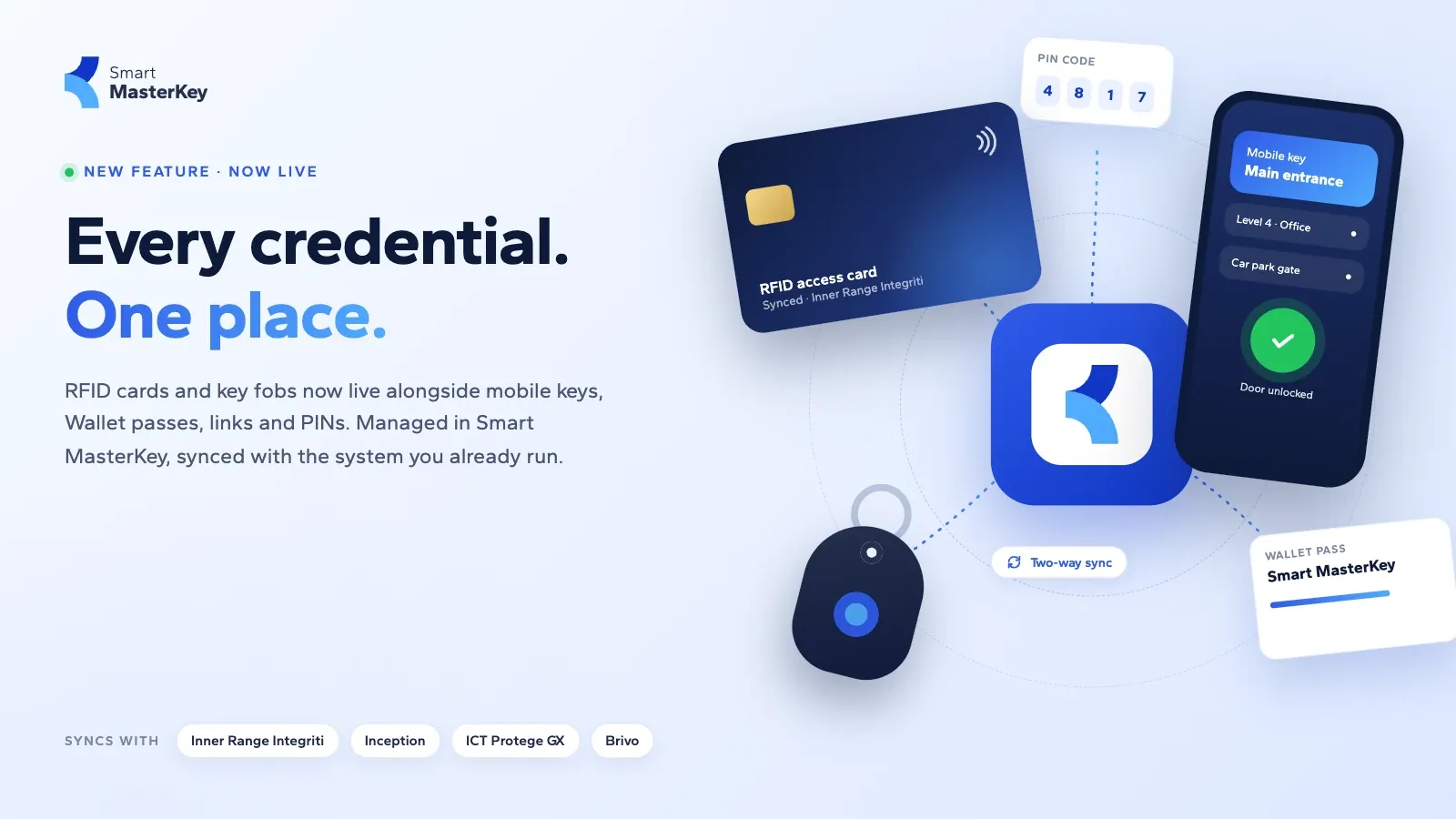
Smart MasterKey brings all of them into one platform, including the physical badges your people already carry.
Physical cards and fobs, managed from Smart MasterKey
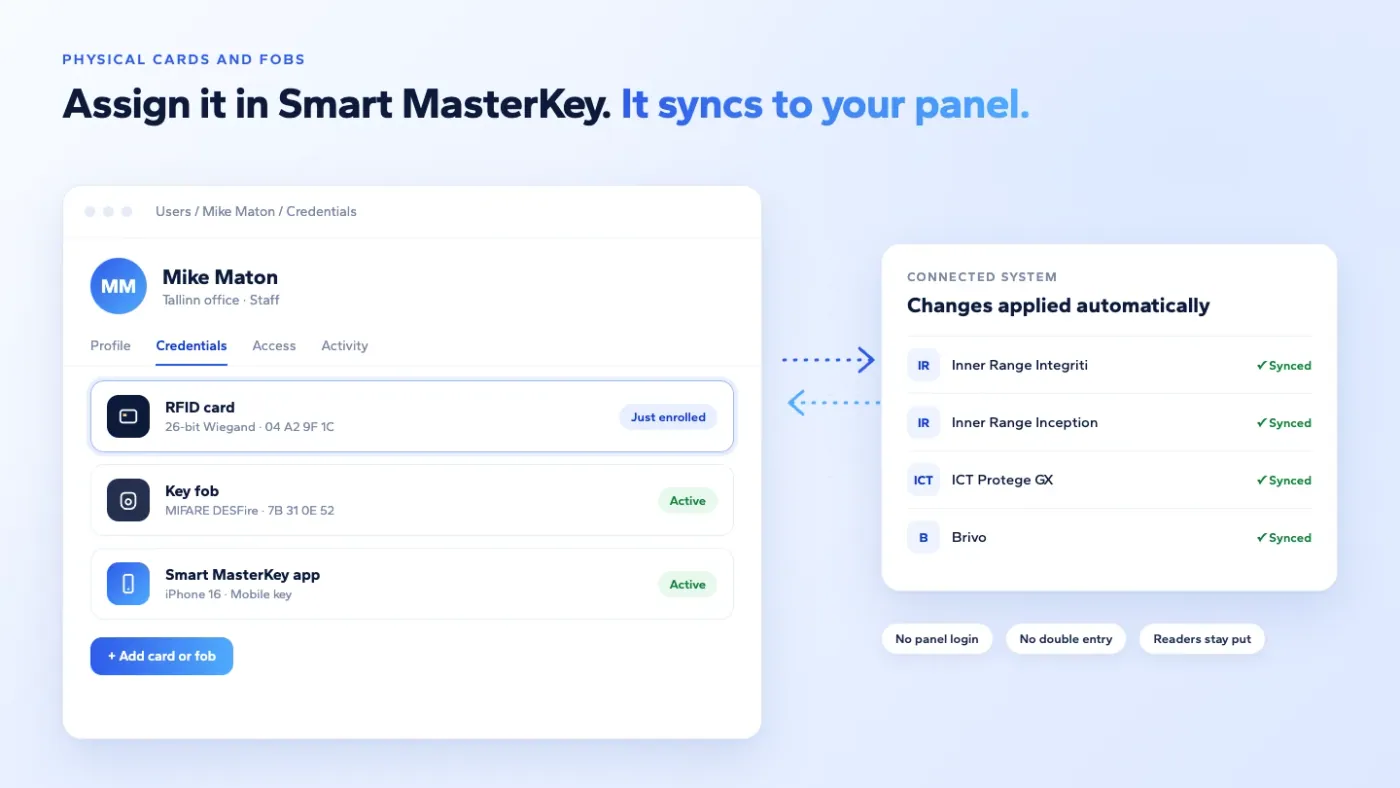
Admins assign or enrol an RFID card or key fob to a user directly in Smart MasterKey. The credential then syncs to the connected access control system: Inner Range Integriti, Inner Range Inception, ICT Protege GX, Brivo or other. There's no separate login to the panel software, and no entering the same data twice.
Sync works in the other direction too. When Smart MasterKey connects to an existing system, it pulls in the cardholders and badges already there, so you start from your current setup rather than a blank slate. Existing cards keep working, and the readers on the wall stay where they are.
When someone leaves or a fob goes missing, disabling the user or the card in SMK revokes it in the connected system right away. That closes one of the most common gaps in access control: credentials that stay active long after they should have been switched off.
Every access type, one user record
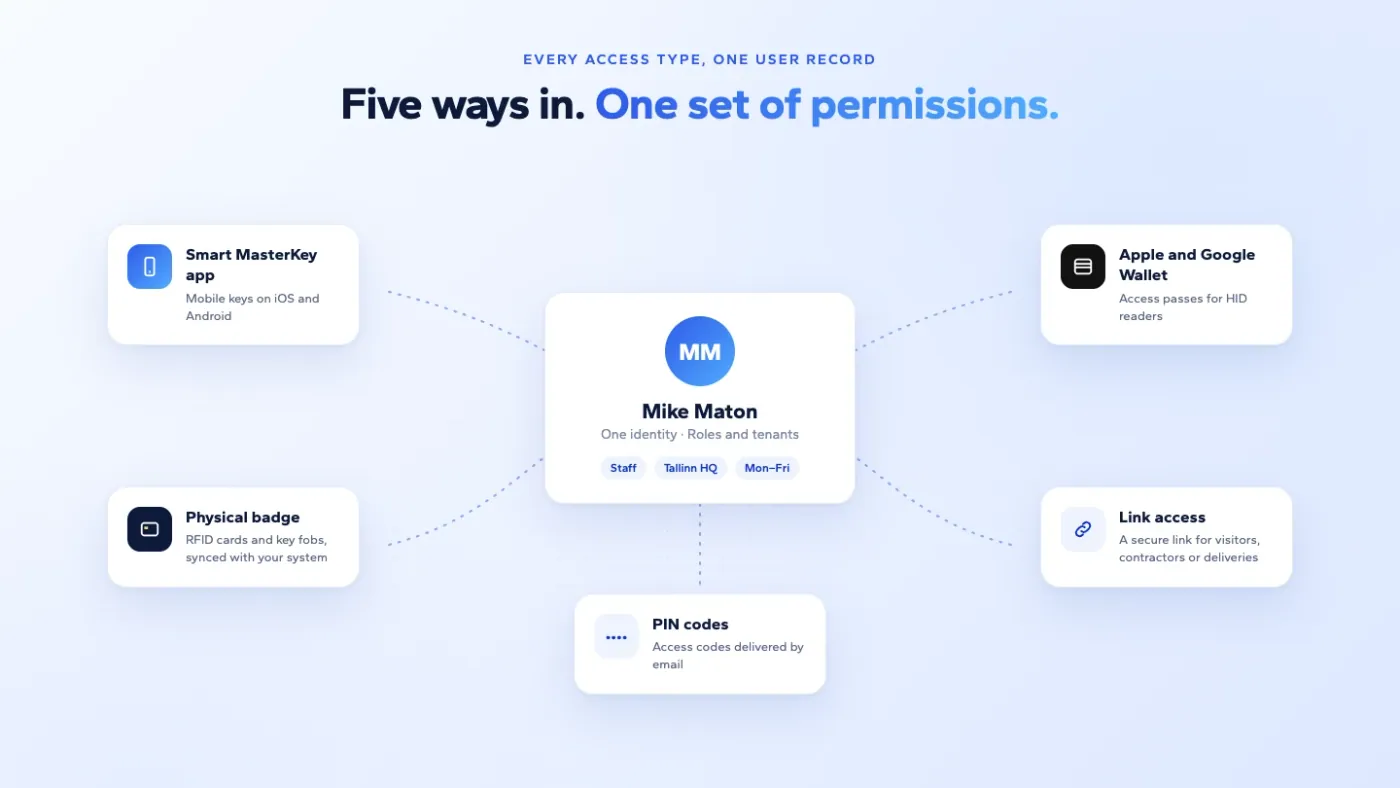
Physical badges are one part of the picture. Smart MasterKey manages five access types against the same user profile:
- Smart MasterKey app: mobile keys on iOS and Android
- Apple Wallet and Google Wallet: access passes that work with HID readers
- Physical badge: RFID cards and key fobs, synced with your existing system
- Link access: a secure link for visitors, contractors or deliveries
- PIN codes: access codes delivered by email
One person can hold several access types at once. Which ones they get depends on the organisation's security protocols, the use case and how the site is run. Permissions are set once, through roles and tenants, and apply to whichever credential is used at the door.
Why sync matters
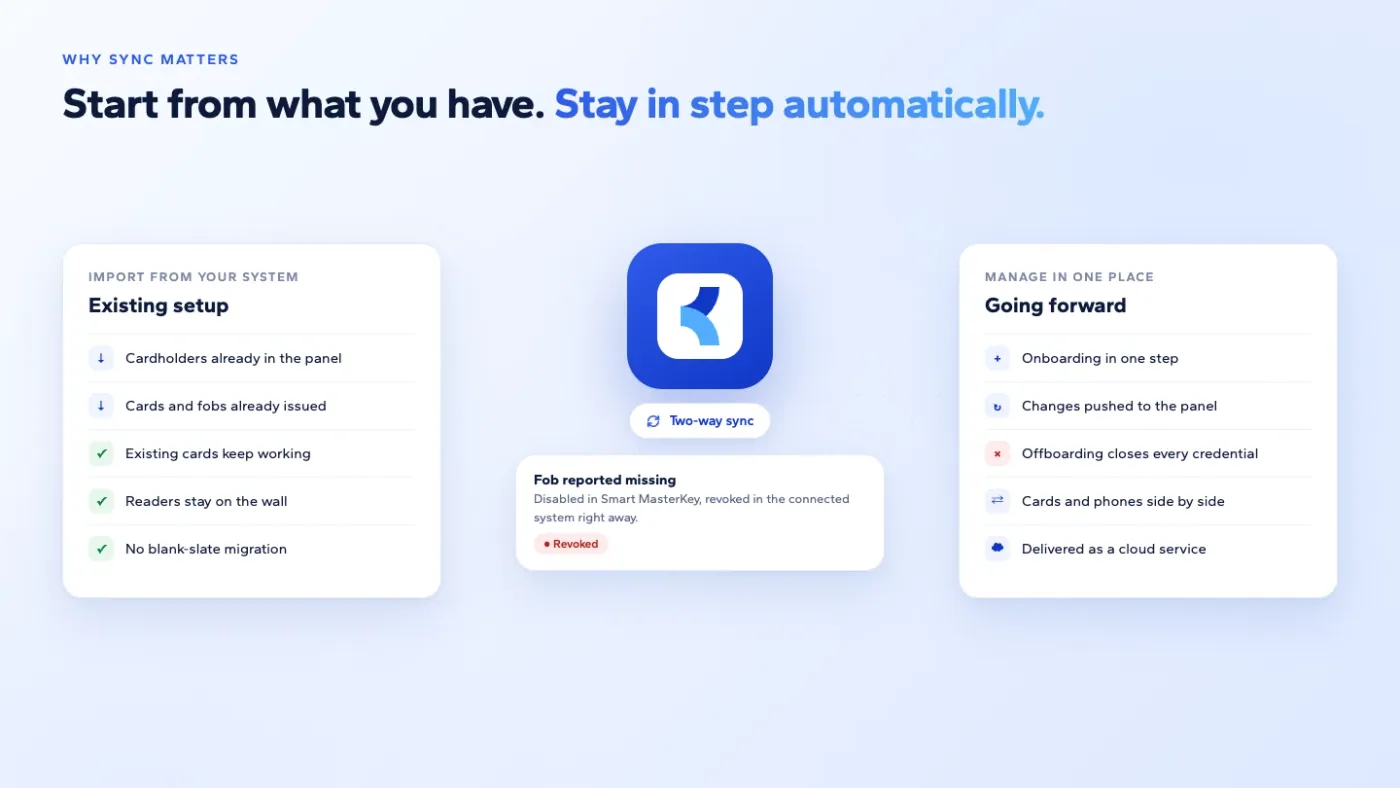
For building operators, it means fewer systems to manage and less room for error. Onboarding, changes and offboarding happen in one place, and the access control system stays in step automatically. Moving to mobile or Wallet credentials becomes a gradual choice rather than a forced replacement project, because cards and phones can work side by side for as long as needed.
For installers and security service providers, it means adding a modern credential layer on top of systems they already install and support. Customers keep what they've invested in panels and readers, gain mobile and Wallet access, and get one interface for everything, delivered as a cloud service.
Access control works best when the credential fits the person and the situation. With Smart MasterKey, choosing a card, fob, phone, link or PIN no longer decides how complicated management gets.